Bot de dirección de imagen
Un compañero en Grok que convierte tus briefs en prompts con el formato primero y puntúa tus renders.
por GetKits
Por qué vale $19
Lo que te quita de encima
Cada lunes a las 9:00 los briefs de imagen de la semana vuelven como opciones de formato y prompts listos, y cada viernes a las 14:00 tus renders vuelven puntuados sobre 30, con las elegidas marcadas y las revisiones escritas.
Listo desde el primer día
- 5 skills, desde la auditoría visual y la elección de formato hasta el control de series
- 3 rutinas: tablero del lunes, revisión de renders del viernes y ajuste mensual
- La rúbrica del Skill sobre 30, 24 ID de formato y 15 señales de aspecto IA
- Reglas de aprobación: no edita Notion ni mueve nada en Drive sin tu sí
- Una prueba en 4 pasos, 8 prompts de uso diario y solución de problemas
Lo que te ahorras construir
Escribir cinco skills y tres rutinas con la rúbrica dentro de cada una, decidir qué necesita tu aprobación y probar hasta que un render sin ID de brief salga como Sin asignar, en vez de adivinar a qué brief pertenece.
También forma parte del Kit de dirección de imagen: $39 por todo lo que incluye, en lugar de $57 por separado.
Mira la diferencia
La revisión de renders del viernes en un solo mensaje
Antes
Rutina: Revisión de renders del viernes, vie 16 oct, 14:00 America/Los_Angeles. Image Director/Inbox: 11 archivos nuevos para 4 briefs, más IMG_2231.png.
Después
3 de 4 briefs tienen una imagen elegida: B021 carta coleccionable 27/30, B022 portada VHS 26/30, B024 póster teaser 25/30. B023 portada de revista: la mejor, 19/30, Necesita un pase. Los titulares salieron como texto sin sentido y su pelo tapa la cabecera; prompt de la ronda 2 listo con 3 cambios. Sin asignar: IMG_2231.png, sin ID de brief. DECISIÓN: ¿registrar 12 filas, marcar 3 elegidas y moverlas a Keepers? A. todo B. solo registrar C. omitir
Monday board: two prompts ready, one brief sent back
Antes
Routine: Monday format board, Mon Oct 19, 9:00 AM America/Los_Angeles. Image briefs due in the next 14 days: B025 Lumen newsletter header, 3:1, needed Thu Oct 22. Job: photographers see that Lumen now handles contracts. B026 Orbit Games crowdfunding page header, 16:9, needed Tue Oct 27. Job: backers see that 12 crew members are coming and come back each Tuesday. B027 Northwind Records winter show poster, needed Mon Nov 2. Job: empty.
Después
FORMAT BOARD: week of Mon Oct 19 (3 briefs, needed by Thu Oct 22 to Mon Nov 2) | Brief | Needed by | Destination | Format | Tool | Status | | B025 | Thu Oct 22 | Newsletter header 3:1 | F22 Contact sheet, one strip | ChatGPT images | Prompt drafted | | B026 | Tue Oct 27 | Crowdfunding header 16:9 | F24 Character select screen | Midjourney | Prompt drafted | | B027 | Mon Nov 2 | Instagram story 9:16 | not picked | Midjourney | Not prepared | FORMAT OPTIONS: Lumen contracts for the November newsletter header (3:1) Job: photographers opening the newsletter see, before reading a word, that the contract is handled before the shoot. | # | Format | Why it fits | Ratio | Presentation | Risk | | 1 | F22 Contact sheet, one strip (strong) | Six frames of a shoot day, the first one a signed contract, tells the order of the day | 16:9, crop to 3:1 | Flat | Six near-identical frames | | 2 | F16 Ticket stub (safe) | The shoot as an event: date, venue, a "CONTRACT SIGNED" stamp on the stub | 5:2 | Object shot on a camera bag | Barcodes that look scannable | | 3 | F06 Editorial magazine spread (surprising) | A magazine story about the photographer's week, image page only | 3:2, crop to 3:1 | Flat | The gutter crossing the subject | Recommendation: 1. It is the photographer's own object, and a single strip is already a long, thin shape. FORMAT PROMPT: F22 Contact sheet for Lumen contracts (ChatGPT images, 16:9, crop to 3:1) Prompt: One horizontal strip of six 35 mm black-and-white frames, scanned flat on white paper, with frame numbers and plain edge markings along the film and sprocket holes above and below every frame. Frame one shows a photographer's hand signing a one-page contract on a cafe table, circled in red grease pencil. Frames two to six follow a courthouse wedding: the couple on the steps, rice in the air, a laugh, the rings, the photographer checking her camera. A faint loupe ring over frame three. Even scan light. Landscape, with the strip across the middle third and plain white paper above and below. Text to set afterwards: the header line in the newsletter template. FORMAT PROMPT: F24 Character select screen for the Orbit crowdfunding header (Midjourney, 16:9) Prompt: a 1990s arcade character select screen, seen flat, filling the frame, a grid of 12 portrait tiles in two rows of six across the bottom third, 4 tiles showing painted crew portraits and 8 tiles dark with a single question mark shape, a thick amber cursor around the first tile, the selected crew member large on the left: a welder in a heat-scarred jacket holding a cutting torch, knees up, facing right, an empty stat panel on the right with three blank bars, a blank title banner across the top, faint scanlines --ar 16:9 --style raw --no text, letters, logos, rim light --seed 3318 Text to set afterwards: the title banner and the three stat names, in layout. Not prepared: B027, Job is empty. Who sees the poster, where, and what should they do next? DECISION: Approve the B025 and B026 prompts? Options: A. both: set Status to Prompt ready and add both to the Prompt library B. B026 only C. skip Recommendation: A. B025 is needed on Thursday. Needed by: Tue Oct 20, 12:00 PM America/Los_Angeles
Monthly tune-up retires a format that never lands
Antes
Routine: Monthly library tune-up, Mon Nov 2, 10:00 AM America/Los_Angeles. Render log for October 2026: 64 renders across 17 briefs. September keeper rate: 18 percent.
Después
LIBRARY TUNE-UP: October 2026 (64 renders, 17 briefs, 15 keepers) | Format | Renders | Keepers | Keeper rate | Rounds to keeper | Most common tell | | F13 Trading card | 14 | 5 | 36 percent | 1.4 | none | | F05 Magazine cover | 12 | 2 | 17 percent | 3.0 | gibberish text at readable size | | F23 Film still | 10 | 0 | 0 percent | none | ID-photo framing | | F09 VHS slipcase cover | 9 | 2 | 22 percent | 2.5 | rim light on everything | | F22 Contact sheet | 8 | 3 | 38 percent | 1.7 | none | | F04 Travel poster | 7 | 2 | 29 percent | 2.0 | era mash-up | | F08 Field guide plate | 4 | 1 | 25 percent | 2.0 | none | Keeper rate overall: 23 percent (last month 18 percent) Proposed changes: 1. Promote: the B021 prompt as the F13 starting point in the Prompt library, because it reached Finished in round 0 and the 5 F13 keepers took 1.4 rounds on average. 2. Add rule: for F05 in Midjourney, write cover lines as "stacked blocks of small headline text" and set the real lines in layout, because 7 of the 10 F05 renders that were not kept had gibberish cover lines. 3. Retire: F23 for 4:5 destinations, because the 4:5 crop cuts the letterbox bars and 0 of 10 renders survived it; both briefs were dropped. Use F21 instant photo as an object shot for 4:5 story frames instead. DECISION: Apply these to the Prompt library? Options: A. all three B. 1 and 2 only C. skip Recommendation: A. Change 3 alone would have saved 10 renders last month. Needed by: Wed Nov 4, 5:00 PM America/Los_Angeles
Qué incluye
Cada archivo que recibes, con lo que cubre y su extensión. Los archivos están en inglés.
- Image Director Bot: Grok Bot setup
This builds a Grok Bot that runs your image pipeline from brief to keeper.
- Before you start
- Step 1: Create the Bot and set its profile
- Step 2: Paste the setup message
- Step 3: Connect plugins
- Step 4: Test run
- Everyday prompts
- Troubleshooting
Sobre este Kit
Get your week's image briefs back every Monday as format options and ready-to-run prompts, and your renders back every Friday scored out of 30, with the keepers picked and the next prompt written for every near miss. This Grok Bot reads your briefs in Notion and the renders you save to Google Drive, judges them on the same rubric as the Image Director Skill, and waits for your approval before it logs, updates or moves anything. Once a month it tells you which formats and prompts actually produce keepers. Setup takes about 12 minutes.
What you get
- A setup file that builds the Bot in one paste. Profile, description and a setup message that saves five skills and three routines, with the shared rubric, the 24 format IDs and every block format inside each skill.
- Five skills. Visual audit of a render or prompt, Format pick with three options from different families, Format prompt in your tool's dialect, Render revision with 3 changes per round, and Series check against your versioned series sheets.
- Three routines. A Monday format board at 9:00 AM for briefs due in the next 14 days, a Friday render review at 2:00 PM for everything new in your Drive Inbox, and a monthly library tune-up on the first Monday.
- Scores that mean the same every week. Six dimensions with anchors, the verdict thresholds, the change order and the 15 AI-look tells, identical to the Skill, so a render that moved from 21 to 26 really improved.
- Approval on everything that changes your files. The Bot drafts log rows, status changes and file moves, then asks one DECISION question. Nothing changes until you answer.
- Honest failure handling. Renders without a brief ID are listed as Unmatched, files that will not open as Not reviewed, a missing series sheet as "Series sheet unavailable". Nothing is scored from a file name or from last week.
What it needs
- The Grok Bot desktop app.
- Notion: an Image briefs database, a Prompt library page, a Series sheets page and an empty Render log database.
- Google Drive: an
Image Directorfolder withInboxandKeepers, shared with a dedicated account for the Bot. - An image tool you already use. The Bot writes prompts for Midjourney, ChatGPT images, Gemini, Grok, Flux, Ideogram and Stable Diffusion; it does not render them.
Who it is for
- Creators and small studios publishing images every week who want fewer rerolls and a record of what works.
- Marketing teams turning a content calendar into on-format visuals without briefing a designer for each one.
- Indie game, comic and music projects running a series that must stay consistent from the first item to the last.
What it will not do
- Generate images. You run its prompts in your image tool and save the renders to the Inbox.
- Edit Notion, change a brief's status or move files without your approval, and it never deletes, renames or shares anything.
- Post or publish anywhere.
- Copy real brands, living artists, real documents or real people. Every issuer, seal and number it writes is fictional.
Reseñas
Aún no hay reseñas.
Más Kits de Imágenes
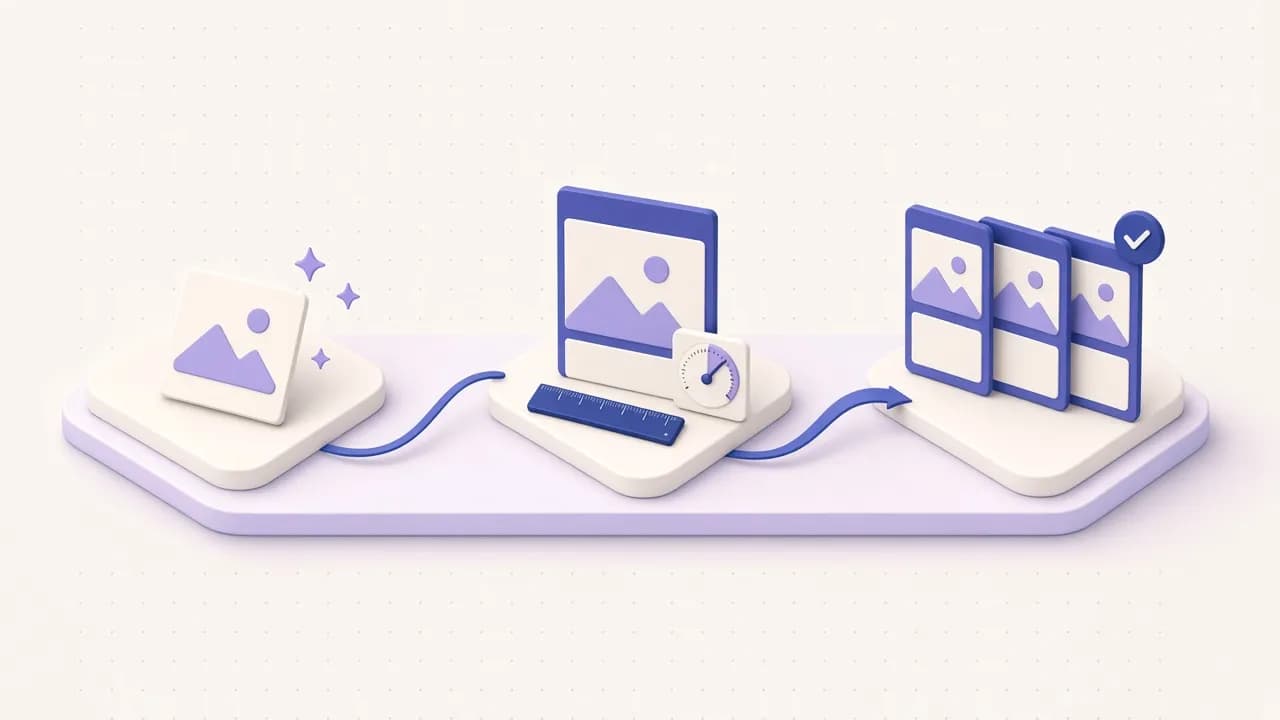
Kit de dirección de imagen
Prompts con el formato primero, renders puntuados y series coherentes: imágenes de IA que se ven terminadas.
Dot de dirección de imagen
Tu dot mantiene una serie de imágenes en formato, del primer elemento al último.
Skill de dirección de imagen
Prompts que empiezan por el formato y convierten tus imágenes de IA en pósters, portadas y cartas.